
I built my first “autonomous” agent about a year ago and it was, honestly, a glorified while loop with an API key. It called itself agentic. It was not. It just kept asking GPT the same question until the output looked done, then it stopped. No memory. No real tool use. No idea what it had already tried five minutes earlier.
That gap between what people call an agent and what an agent actually is causes most of the frustration in this space. So let’s fix that. This guide walks through the real architecture behind autonomous AI agents, the code that makes tool calling and memory actually work, and an honest comparison of AutoGen, CrewAI and LangGraph so you pick the right framework the first time instead of the sixth.
What Makes an Agent Actually Autonomous
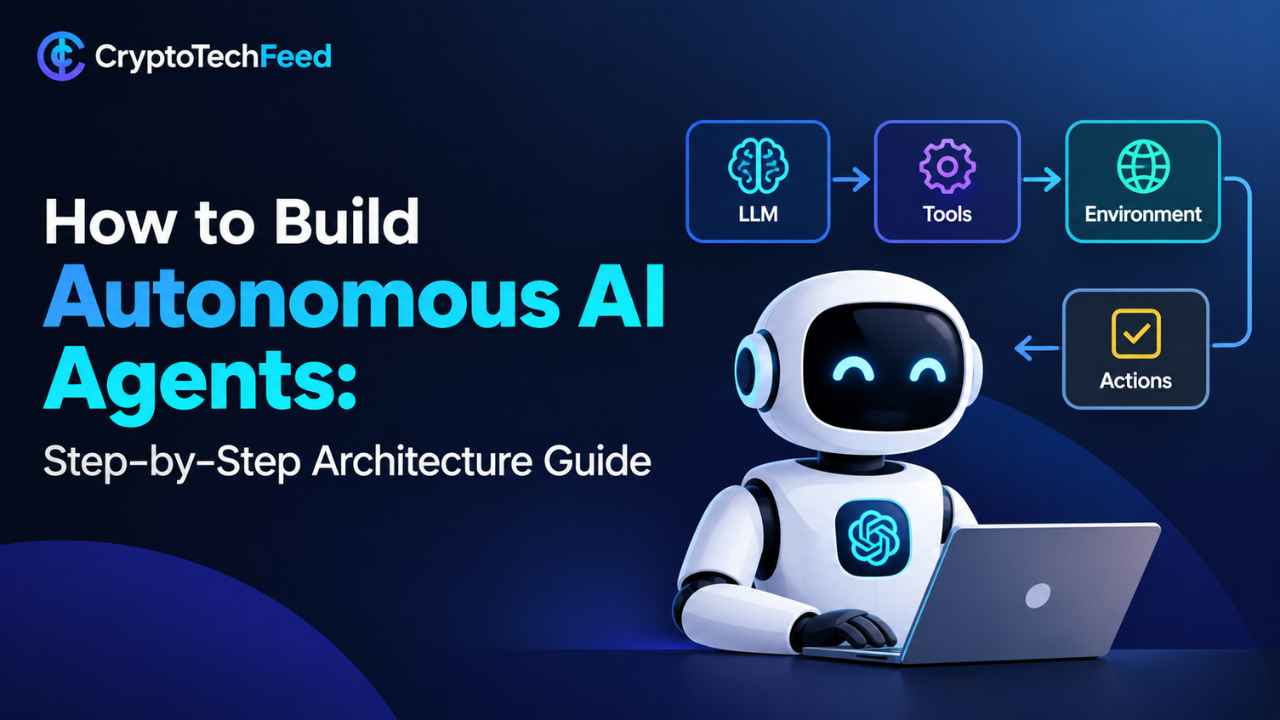
A script that calls an LLM once is not an agent. An agent needs four things working together in a loop: it has to perceive its environment, reason about what to do next, act using tools, and remember what happened so the next decision is informed by the last one.
Drop any one of those four and you get something else. No memory and you get a stateless chatbot that repeats mistakes. No tool calling and you get a text generator that can describe a trade but never place one. No reasoning loop and you get a single API call pretending to be a system. Autonomy comes from the loop closing on itself, not from the model being “smart.”
The Core Architecture: Four Layers That Do the Work
Think of the stack in four layers, and build them in this order because each one depends on the last.
Perception layer. This is how the agent reads the world. In a crypto context that’s price feeds, on chain events, mempool data, news APIs, whatever signal the agent actually needs. Keep this layer dumb. It should fetch and normalize data, not interpret it.
Reasoning layer. This is the LLM call itself, wrapped in a planning step. The model looks at the current state plus the goal and decides what action comes next. This is where your system prompt and prompt templates live.
Tool calling layer. The reasoning layer doesn’t touch the outside world directly. It requests an action, and a separate execution layer runs it with permission checks in between. This separation is the single biggest thing that turns a chatbot into an agent.
Memory layer. Short term memory holds the current task’s working state. Long term memory persists across sessions, usually in a vector store, so the agent doesn’t relearn the same lesson every run.
Tool Calling Flow, Explained as a Diagram
Here’s the loop in plain text, because this is the part most tutorials gloss over.
User goal
   |
   v
[Reasoning layer: LLM plans next step]
   |
   v
Does the plan require a tool?
   |--- No --> Generate final response --> Store outcome in memory --> Done
   |
  Yes
   v
[Tool call request: name + arguments, as structured JSON]
   |
   v
[Permission and validation gate] --- fails --> Reject, log, return error to reasoning layer
   |
  passes
   v
[Tool executes: API call, on chain transaction, database query]
   |
   v
[Tool result returned to reasoning layer]
   |
   v
[Memory layer updates with result]
   |
   v
Loop back to reasoning layer until goal is met or max steps hit
That permission and validation gate is not optional. It’s the difference between an agent that trades your portfolio and an agent that drains it because a poisoned webpage told it to. More on that later.
Building the Skeleton in Python
Forget frameworks for a second. Here’s what a bare bones tool calling loop looks like, so you understand what the frameworks are actually automating for you.
python
import json
from openai import OpenAI

client = OpenAI()

tools = [
    {
        "type": "function",
        "function": {
            "name": "get_token_price",
            "description": "Fetch the current USD price for a given token symbol",
            "parameters": {
                "type": "object",
                "properties": {
                    "symbol": {"type": "string", "description": "Token ticker, e.g. ETH"}
                },
                "required": ["symbol"]
            }
        }
    }
]

def get_token_price(symbol):
    # placeholder: swap in a real price feed here
    return {"symbol": symbol, "price_usd": 3421.55}

memory = []

def run_agent(goal, max_steps=6):
    memory.append({"role": "user", "content": goal})
    for step in range(max_steps):
        response = client.chat.completions.create(
            model="gpt-4.1",
            messages=memory,
            tools=tools
        )
        msg = response.choices[0].message
        memory.append(msg)

        if not msg.tool_calls:
            return msg.content

        for call in msg.tool_calls:
            args = json.loads(call.function.arguments)
            if call.function.name == "get_token_price":
                result = get_token_price(**args)
                memory.append({
                    "role": "tool",
                    "tool_call_id": call.id,
                    "content": json.dumps(result)
                })
    return "Max steps reached without a final answer."

print(run_agent("What is the current price of ETH?"))
That’s the whole trick. The model never touches the price feed. It asks for a tool, your code runs it, and the result goes back into the conversation as memory. Everything else, multi agent handoffs, planning, retries, is built on top of this same loop.
A Working Prompt Template for Agent Reasoning
The reasoning layer lives or dies by the system prompt. Here’s a template that works well for task focused agents, crypto or otherwise.
You are {agent_role}, operating with the following goal: {goal}

You have access to these tools: {tool_list}

Rules:
1. Only call a tool when you need external information or need to take an action.
2. Never fabricate data a tool could provide.
3. If a tool call fails, explain the failure before retrying.
4. Stop and ask for confirmation before any irreversible action (transfers, trades, deletions).
5. Summarize your reasoning in one sentence before each tool call.

Current memory: {memory_summary}
Current step: {step_number} of {max_steps}
Rule four is the one people skip and regret. Any agent that can move funds needs a human confirmation gate baked into the prompt and enforced in code, not just requested politely.
Multi Agent Systems in Python: When One Agent Isn’t Enough
A single agent works fine for narrow tasks. The moment your workflow has distinct roles, research, risk checking, execution, you’re better off splitting it into a multi agent system where each agent has one job and a narrow toolset. Think of it as microservices for reasoning instead of one giant monolith trying to do everything and forgetting half its instructions along the way.
A typical crypto research pipeline might look like three agents in sequence. A research agent pulls market data and on chain signals. A risk agent checks position sizing, drawdown limits and correlation exposure. An execution agent only runs after the risk agent approves, and it has the narrowest toolset of the three, ideally just one function that can place a trade within pre set limits.
AutoGen vs CrewAI vs LangGraph: An Honest 2026 Comparison
This is where most guides go stale fast, so here’s where things actually stand as of 2026.
| Framework | Mental model | Best for | Watch out for |
|---|---|---|---|
| LangGraph | Explicit state graph, nodes and typed edges | Production systems needing durable checkpoints, branching and human in the loop steps | Steepest learning curve, slowest to a first working prototype |
| CrewAI | Role based crew, agents with goals and a shared task list | Fast prototypes, sequential workflows, small teams shipping quickly | Less explicit control over complex branching logic |
| AutoGen | Agents that reason together through dialogue | Conversational multi agent patterns like code review or debate style problem solving | Microsoft moved it to maintenance mode in late 2025, new features now go to Microsoft Agent Framework instead |
A few things worth knowing before you commit. AutoGen’s maintenance mode status matters more than any benchmark score. It still gets security patches, but Microsoft’s own documentation now points new builders toward Microsoft Agent Framework, which merges AutoGen and Semantic Kernel and reached general availability in April 2026 with native support for the emerging agent to agent and tool calling protocols. If you already have production AutoGen code, the community maintained AG2 fork keeps development going independently.
CrewAI has leaned hard into simplicity, and it shows in adoption. LangGraph, meanwhile, added a higher level Deep Agents abstraction on top of its core graph runtime that cut input token usage significantly on default agent turns, which matters a lot once you’re running agents at scale and paying per token.
If you genuinely don’t know which to pick, start with the workflow shape, not the star count. Sequential, role based task with a small team? CrewAI. Complex branching production system that needs to survive a restart mid task? LangGraph. Multi agent dialogue where models need to critique each other’s output? AutoGen or its AG2 fork.
Memory: The Layer Everyone Underbuilds
Short term memory is just the running conversation, and the code above already handles that. Long term memory is where agents actually start to feel intelligent. The standard pattern is to embed key facts, past decisions and outcomes into a vector database, then retrieve the most relevant entries before each reasoning step instead of stuffing the entire history into the prompt.
Here’s the retrieval half of that pattern.
python
def build_context(goal, vector_store, top_k=5):
    relevant = vector_store.similarity_search(goal, k=top_k)
    memory_summary = "\n".join([doc.page_content for doc in relevant])
    return memory_summary
Keep long term memory scoped. An agent that remembers every wallet address it has ever seen is a privacy and security liability, not a feature. Store outcomes and lessons, not raw sensitive data.
Security: Why the Permission Gate Is Not Optional
The crypto AI agent space already has a cautionary tale worth remembering. In May 2026 a Grok connected trading bot on the Bankr platform was manipulated through a prompt injection attack that used Morse code style encoded instructions hidden in an NFT, tricking the agent into unlocking transfer permissions and draining roughly $155,000 to $200,000 in DRB tokens. The agent did exactly what it was told. The instructions just didn’t come from the person who was supposed to be giving them.
That’s the risk with any tool calling agent that touches money. Scope permissions tightly, validate every tool input before execution, put hard limits on position size and transfer amounts, and require human confirmation for anything irreversible. None of that is exotic engineering. It’s the same discipline you’d apply to any system with write access to a bank account, because that’s functionally what you built.
FAQ
What is the easiest framework to start building autonomous AI agents with? CrewAI has the gentlest learning curve for a first project because it models agents as roles on a team rather than nodes in a graph. LangGraph gives you more control once your workflow gets complex, but expect a slower start.
Do autonomous AI agents need a vector database? Only if they need to remember things across sessions. A single task agent can run entirely on short term conversation memory. Long term memory with a vector store becomes worth the setup once the agent needs to learn from past runs.
Is AutoGen still worth learning in 2026? It’s still usable and still receives security patches, but Microsoft has moved new development to Microsoft Agent Framework. If you’re starting fresh, evaluate Microsoft Agent Framework or the community AG2 fork before committing to legacy AutoGen.
How big is the autonomous AI agent market right now? Grand View Research puts the global AI agents market at roughly 10.9 billion dollars in 2026, growing at a 45.8 percent compound annual rate toward an estimated 50 billion dollars by 2030.
Can autonomous agents safely execute crypto trades? Only with strict guardrails. Position limits, permission scoping, human confirmation on irreversible actions and input validation on every tool call are non negotiable, not optional extras, given how attackers have already exploited under secured trading agents.