
You are shopping for a new laptop, and suddenly every spec sheet has a new number on it. Not the CPU clock speed. Not the GPU model. A little line that says “45 TOPS NPU” or “Copilot+ certified,” and you have no idea what it means or whether you should care.
Here is the honest answer. You should care, but probably not for the reason the marketing wants you to think.
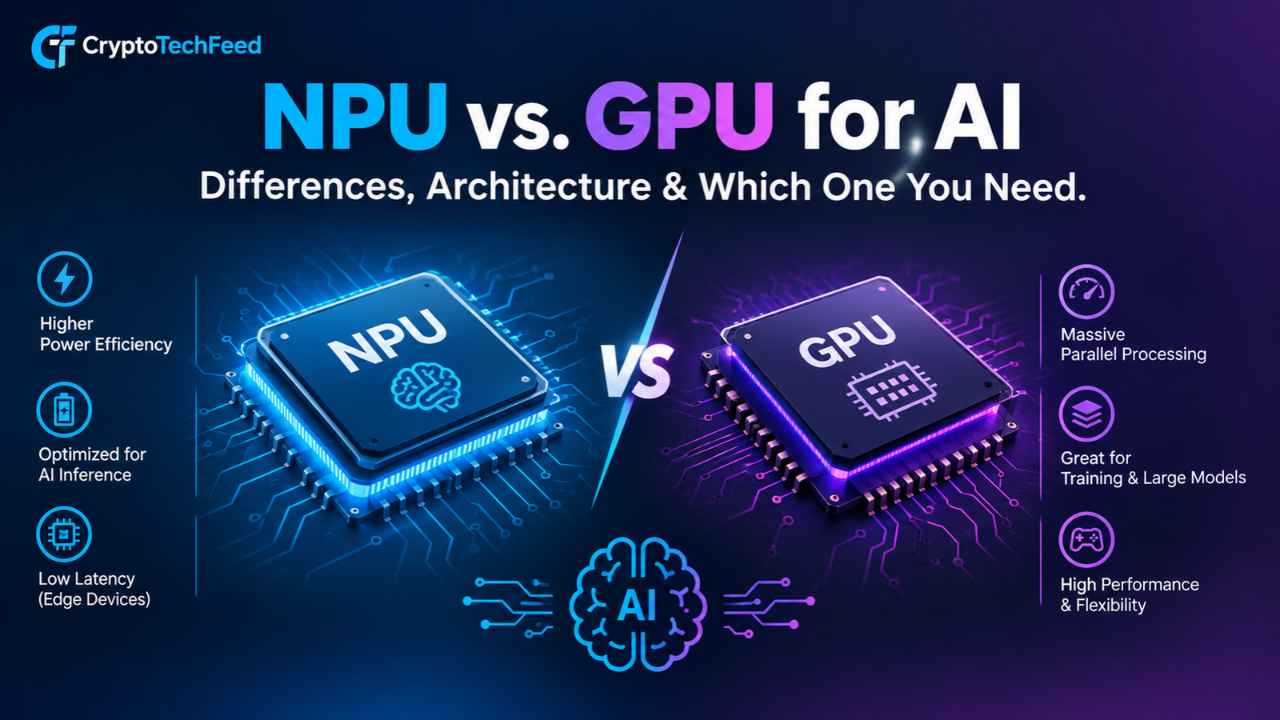
NPUs and GPUs both do math for AI, but they were built for completely different jobs, and that difference decides which one actually helps you. One is a specialist. The other is a generalist that got really, really good at one particular kind of parallel math almost by accident. Let us pull them apart properly.
What Is an NPU? Neural Processing Unit Explained
An NPU, short for Neural Processing Unit, is a chip built from the ground up to run one thing: neural network inference. Not training, mostly not training anyway, just running an already trained model as fast and as cheaply as possible in terms of power.
Think of it like a calculator that only knows how to do one type of math, matrix multiplication and accumulation, but does that one type of math with almost nothing wasted. No overhead for graphics rendering. No general purpose instruction handling. Just rows and columns of numbers getting multiplied and added, over and over, at very low voltage.
That focus is the whole point. An NPU typically:
- Runs continuously in the background without draining your battery
- Handles fixed, predictable workloads like speech recognition, background blur, and live captioning
- Uses lower precision math (INT8, INT4) since most inference does not need full precision
- Stays cool enough to sit inside a thin fanless laptop
- Works best with models it was specifically optimized to run
That last point matters. An NPU is not flexible the way a GPU is. It shines at a known task the manufacturer tuned it for, and it struggles the moment you ask it to do something unusual.
What Is a GPU, Quick Refresher
A GPU, or graphics processing unit, was originally built to push millions of pixels to a screen at once. That job needs thousands of small cores doing simple math in parallel, which turned out to be almost exactly what deep learning also needs.
So the AI world basically hijacked gaming hardware. Nvidia noticed this around 2012 and never looked back, and today GPUs power nearly every large AI model you have heard of, from image generators to chatbots.
A GPU is the opposite of a specialist. It is a massive parallel processor that can be reprogrammed for almost anything: rendering a game, training a model with billions of parameters, mining crypto back when that still made financial sense on consumer cards, or running inference on a model nobody optimized it for. That flexibility costs power. A lot of it.
AI NPU vs GPU Difference: Architecture Breakdown
This is really where the whole comparison lives, so let us slow down.
Core design philosophy. A GPU packs thousands of general purpose parallel cores plus dedicated tensor cores on the higher end models. An NPU packs a smaller number of cores that do nothing but the matrix operations neural networks need, wired directly to on chip memory so data barely has to travel.
Memory architecture. GPUs pull from dedicated high bandwidth VRAM, which is fast but power hungry and physically separate from system memory. NPUs typically share system memory or use small dedicated caches sitting right next to the compute units, trading raw bandwidth for efficiency.
Precision. GPUs handle FP32, FP16, INT8, and increasingly FP8 depending on the workload. NPUs mostly live at INT8 and INT4, since inference tolerates lower precision far better than training does and lower precision means dramatically lower power draw.
Thermal profile. A discrete GPU needs a fan, a heatsink the size of a paperback, and sometimes its own power connector. An NPU is a few square millimeters of silicon sitting on the same die as your CPU, sipping under 10 watts even under load.
Programmability. GPUs run whatever you throw at them through CUDA, ROCm, or OpenCL. NPUs need models compiled specifically for their instruction set through frameworks like ONNX Runtime, OpenVINO, or Qualcomm’s SDK, which is why not every AI app supports NPU acceleration yet.
Hardware Comparison Matrix: NPU vs GPU
Here is the side by side breakdown that actually matters when you are choosing hardware.
| Factor | NPU | GPU |
|---|---|---|
| Power efficiency (TOPS per watt) | Very high, roughly 5 to 8 TOPS/W on current mobile chips | Lower, often under 1 TOPS/W for discrete cards under sustained load |
| Parallel compute capability | Narrow but deep, optimized for one operation type | Broad, thousands of cores handling varied workloads |
| Typical workloads | Background transcription, webcam effects, small local AI assistants, image upscaling | Model training, large language model inference, video rendering, gaming, crypto mining |
| Best case model size | Small to mid size quantized models | Anything, including massive multi billion parameter models |
| Cost to add to a device | Cheap, often bundled into the CPU package | Expensive, adds hundreds of dollars for a discrete GPU |
| Battery impact | Minimal, designed for always on use | Significant, drains battery fast under AI load |
| Noise and heat | Silent, no dedicated cooling needed | Fans spin up, chassis gets warm |
Notice the pattern. NPUs win on efficiency and cost. GPUs win on raw capability and flexibility. Neither one is simply better. They are built for different budgets, in the literal sense and the power sense.
GPU vs NPU Inference Speed: Who Actually Wins
This is the question people search for most, and the honest answer is it depends entirely on the model size and the task.
For small, quantized models under a few billion parameters, an NPU can match or even beat a laptop integrated GPU on inference speed while using a fraction of the power. A modern 45 to 80 TOPS NPU will run a compact speech to text model in real time without breaking a sweat, something an older or weaker GPU might actually struggle with once you account for thermal throttling.
For larger models, the story flips completely. A discrete GPU with dedicated VRAM and thousands of cores will chew through a large language model or a diffusion image generator far faster than any current NPU, because those workloads need raw parallel throughput that a lean, power sipping NPU was never designed to deliver.
So the real answer to gpu vs npu inference speed is: NPU wins per watt, GPU wins per task when the task is genuinely heavy. If you are running something like a local chatbot with a small model for quick replies, the NPU keeps up fine. If you are generating images or fine tuning anything, you want a GPU, full stop.
Dedicated AI Hardware Laptop: What to Actually Look For
Laptop buyers are hearing “Copilot+ PC” everywhere right now, and the term is not just marketing fluff, it is tied to a real hardware bar. Microsoft requires at least 40 TOPS from a dedicated NPU, plus 16GB of RAM and 256GB of storage, before a machine can carry the badge. That threshold intentionally excludes older silicon and forces a real hardware refresh, not a driver update.
A few things worth knowing before you buy:
- Qualcomm’s Snapdragon X series NPUs sit around 45 TOPS on the first generation and roughly 80 TOPS on the newer X2 chips, with strong battery life thanks to the ARM architecture
- Intel’s Core Ultra 200V (Lunar Lake) and newer Panther Lake chips clear the 40 TOPS bar with solid app compatibility since they run standard x64 Windows
- AMD’s Ryzen AI 300 series NPU also qualifies and pairs well with AMD’s own GPU silicon if you want both in one machine
- Apple’s Neural Engine in the M series chips sits in a similar TOPS class but runs macOS, so it is not Copilot+ certified even though the underlying capability is comparable
If most of your AI use is background stuff, live captions, noise cancellation, quick local assistants, photo tagging, a Copilot+ certified laptop with a strong NPU will genuinely feel snappier and last longer on a charge. If you are training models, running large local LLMs, or doing serious generative work, you still need a discrete GPU, and no amount of NPU marketing changes that math.
Which One Do You Actually Need
Let us cut through it with a simple framework.
Choose an NPU focused device if:
- You want long battery life with AI features running quietly in the background
- Your workloads are small models, transcription, translation, or light image editing
- You care about a silent, cool, thin laptop over raw power
- You mostly use cloud AI tools anyway and just want local features to feel fast
Choose a GPU focused setup if:
- You train models, fine tune LLMs, or run anything with billions of parameters locally
- You do video editing, 3D rendering, or gaming alongside AI work
- You need CUDA support for research or development frameworks
- Raw throughput matters more to you than battery life or noise
And honestly, most people end up wanting both. A modern laptop with a capable NPU handles the everyday local AI tasks efficiently, while a GPU, whether integrated or discrete, picks up the heavier lifting when you actually need it. That is exactly the direction the whole industry is heading, chips that pair both instead of forcing you to choose.
Frequently Asked Questions
What is the main difference between NPU and GPU? An NPU is a specialized chip built only for neural network inference at very low power, while a GPU is a general purpose parallel processor that handles graphics, training, and inference but at a much higher power cost.
Is an NPU better than a GPU for AI? Neither is universally better. NPUs win on power efficiency and are ideal for small, always on AI tasks. GPUs win on raw compute power for training and running large models.
Do I need an NPU if I already have a good GPU? Not strictly, but an NPU still helps by offloading light, constant AI tasks so your GPU and battery are not working overtime for simple background features.
Can an NPU run large language models? Small, heavily quantized language models, yes. Large models with tens of billions of parameters still need GPU level memory bandwidth and compute.
What does TOPS mean in an NPU spec sheet? TOPS stands for Trillion Operations Per Second, a raw throughput measure. It is a useful comparison number but does not capture efficiency, memory bandwidth, or real world software support on its own.
Is a Copilot+ PC worth buying in 2026? If you are due for a new laptop anyway, yes, since the NPU, RAM, and storage baseline is a sensible spec floor regardless of the badge. It is a weak reason to replace a laptop that still works fine.
Are NPUs useful for crypto mining? No. Crypto mining relies on GPU style parallel throughput for hashing algorithms, and NPUs are optimized narrowly for neural network math, not the kind of workload mining requires.