A founder I know messaged me at 11pm last month in a mild panic. His community had grown to about 400 DAO token holders almost overnight, and three different people were pushing for three different treasury decisions in the Discord. No voting system. No record. Just loud opinions in a chat that scrolls away forever. He asked me one question. How do other projects actually run these votes without spending a fortune on gas. The answer, like it almost always is in crypto governance right now, was Snapshot.
If you are reading this, you are probably in some version of the same spot. You have a token, a community, or a simple decision that needs more than one person’s opinion. You do not need a developer team or a six figure governance budget. You need a Snapshot space, and you can genuinely have one running in about five minutes. This guide walks through the real setup process, the decisions that actually matter, and the mistakes that trip up almost every first time admin.
What Is Snapshot and Why It Dominates DAO Voting in 2026
Snapshot is a free, gasless voting platform that lets DAOs run governance polls without touching the blockchain for every single vote. It started life in 2020 as a small tool built by the Balancer Labs team and quietly became the default governance layer for the entire industry. Uniswap uses it. ENS uses it. Aave uses it. By 2026, when someone says “DAO governance,” they usually mean Snapshot governance, even if they never say the name out loud.
Here is the part people misunderstand. Snapshot does not execute transactions on its own. When you vote, you are signing a message with your wallet, not sending a transaction. That signature gets checked against your token balance at a specific block, called the snapshot block, and your vote weight is calculated from that. No gas. No waiting for confirmations. The result then gets stored and referenced, and for DAOs that want automatic execution, a tool like SafeSnap can carry an approved vote straight into a multisig transaction.
What You Need Before You Start
Snapshot keeps the requirements short on purpose. Before you open the site, get these three things ready.
- An ENS domain. This is the one non negotiable requirement. Your space lives at a .eth address, and it becomes your DAO’s permanent identity on the platform.
- A connected wallet. The same wallet that owns the ENS name needs to create and control the space.
- A clear idea of your voting token or membership rule. You will be asked how voting power gets calculated, so decide this before you start clicking through settings.
Most people lose their first ten minutes figuring out ENS, not Snapshot itself. If you do not already own a domain, head to the ENS app, search your DAO name, and register it. Prices vary by name length, but a standard five character or longer name runs a modest yearly fee plus gas for the registration transaction.
How to Set Up a DAO on Snapshot in 5 Minutes
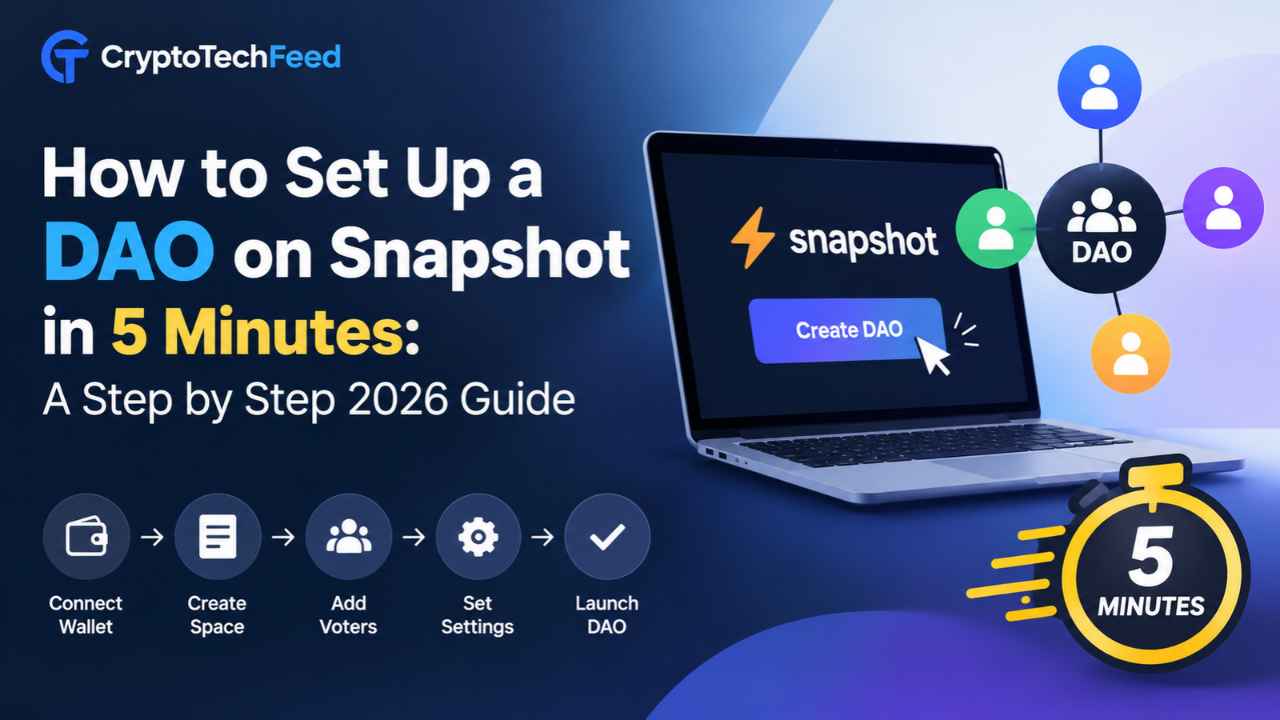
Once your ENS domain is sorted, the actual Snapshot setup moves fast. Here is the real sequence.
Step 1: Connect Your Wallet and Start a New Space
Go to snapshot.org and connect the wallet that owns your ENS domain. Click Create Space and enter your ENS name when prompted. Snapshot checks ownership automatically, so if the wallet does not control that domain, it will reject the request. This single check is also why your DAO’s identity cannot be hijacked later by someone registering a lookalike name.
Step 2: Fill in Your Space Profile
Add your DAO’s full name, a short description, your logo, and your social links. None of this affects voting mechanics, but it is the first thing new members see when they land on your space, so treat it like a storefront, not an afterthought. Pick a voting power symbol too, something short like DFG or GOV, since it will appear next to every member’s vote weight across the platform.
Step 3: Choose Your Voting Strategy
This is the decision that actually matters. A strategy is the formula Snapshot uses to calculate how much voting power each wallet gets. Common options include:
- ERC20 balance of. Voting power equals the raw token balance in a wallet at the snapshot block. Simple, but it ignores tokens sitting in staking contracts or LPs.
- ERC20 votes. Built for tokens with delegation built in, so holders can delegate power to someone else without moving tokens.
- ERC721. For NFT based membership, where one token typically equals one vote.
- Whitelist. A fixed list of approved addresses, useful for small councils or contributor groups rather than open token holder votes.
You can combine more than one strategy and even assign different weights to each, which larger DAOs often do once governance gets more sophisticated.
Step 4: Set Proposal and Voting Rules
Under advanced settings, define who can create a proposal and for how long votes stay open. A proposal threshold stops low effort or spam proposals by requiring a minimum token balance to post one. Voting duration is usually set between three and seven days, long enough for a global community to participate across time zones, short enough that decisions do not stall.
Step 5: Publish the Space and Create Your First Proposal
Click Create Space and sign the message in your wallet. That signature, not a blockchain transaction, is what brings your space to life. From there, click New Proposal, write your question, add the voting choices, and publish. Your first live vote is now gathering signatures, and every member can check the result in real time without paying a cent in gas.
Picking the Right Voting Type for Your Proposal
Snapshot does not force every vote into a simple yes or no. When creating a proposal, you can choose from several voting types, and picking the right one changes how fairly a decision reflects your community.
- Single choice. One winner, picked from a list. Good for straightforward decisions like approving a budget.
- Approval voting. Members can approve multiple options at once. Useful when ranking a shortlist of grant applicants.
- Quadratic voting. Spreads influence more evenly by making additional votes on the same option cost disproportionately more, which limits whale dominance.
- Ranked choice. Voters order their preferences, and the system eliminates the lowest performing option round by round.
- Weighted voting. Lets members split their voting power across multiple choices instead of committing it all to one.
For most early stage DAOs, single choice or approval voting covers 90 percent of decisions. Save quadratic and ranked choice for proposals where a small number of large holders could otherwise dominate the outcome.
Common Mistakes First Time DAO Admins Make
I have watched enough of these spaces launch to notice a pattern. The mistakes are rarely technical. They are decisions made too quickly under the Step 3 strategy screen.
- Picking balance of when tokens are mostly staked, which locks out your most committed holders from voting at all.
- Setting a proposal threshold so high that only two or three wallets can ever submit a vote.
- Forgetting to set a quorum, which lets a handful of votes pass a decision nobody else saw.
- Leaving the space description blank, which makes a legitimate DAO look abandoned to new members doing due diligence.
- Skipping a test proposal before the real one, so the first live vote becomes the first time anyone notices a strategy was misconfigured.
None of these take more than a few extra minutes to fix. They just require slowing down at exactly the step most people rush through.
Snapshot Voting Versus On Chain Governance
| Factor | Snapshot (Off Chain) | On Chain Voting |
|---|---|---|
| Cost to vote | Free, gasless | Gas fee per vote |
| Execution | Manual or via SafeSnap | Automatic on approval |
| Speed to launch | Minutes | Requires smart contract deployment |
| Best for | Signaling, community decisions | Treasury moves, protocol upgrades |
| Tamper resistance | Signature based, verifiable | Fully immutable once executed |
Most DAOs in 2026 run a hybrid model. Snapshot handles the discussion and the signal. A multisig or a dedicated execution contract carries out anything that actually moves funds. This split keeps voting accessible to every holder while keeping the money movement locked behind a smaller, more accountable group.
Final Thoughts
Setting up a DAO on Snapshot really does take about five minutes once your ENS domain is ready. The part that takes longer, and the part worth taking seriously, is choosing a voting strategy that actually reflects how your community holds and uses its tokens. Get that right at the start, and you save yourself a painful governance redo six months in, which is exactly the three weekend headache a lot of DAO founders run into when they skip the planning step. Get your space live, run a small test proposal first, and let your community vote on something low stakes before you bring a real treasury decision to the floor.
Frequently Asked Questions
Is Snapshot free to use for a DAO? Yes. Creating a space and running proposals on Snapshot costs no gas for voters or the DAO. The only cost in the entire process is registering your ENS domain.
Do I need coding skills to set up a DAO on Snapshot? No. The entire setup happens through Snapshot’s interface. Coding only becomes relevant if you want custom strategies or direct integration through the Snapshot SDK.
Can Snapshot votes move funds automatically? Not by itself. Snapshot records a signed, verifiable result. Tools like SafeSnap connect that result to a multisig so approved proposals can trigger an actual transaction.
What happens if someone votes after the snapshot block? Their vote still counts, but their voting power is locked to whatever balance they held at the snapshot block, not their current balance.
How long should a Snapshot voting period run? Three to seven days is standard. Shorter periods risk excluding members across different time zones, while longer periods can stall fast moving decisions.
Can one DAO use more than one voting strategy? Yes. Snapshot allows multiple strategies in a single space, and admins can assign each one a different weight in the final voting power calculation.